




ASUS gave its thinnest 16-inch laptop more power this year, and the Zenbook S16 makes its best case when you leave most of that power alone: the brighter OLED, the ceramic shell and the long battery life all do their work at a murmur.
A big screen that declines to become a workstation
Most 16-inch laptops are designed from the inside out. Someone chooses a graphics card, the cooling grows to fit it, the chassis grows to fit the cooling, and the screen is whatever lid is left over at the end. The Zenbook S16 runs that process in reverse. ASUS started with a 16-inch OLED and a body between 1.1 and 1.3cm thick, then asked what kind of computer could live comfortably in the gap. The answer is an integrated-graphics machine with no interest in being a workstation, and the clarity of that decision is the most interesting thing about it.
The 2026 refresh, model UM5606GA, keeps the silhouette of the 2024 original and changes what matters around it. There is AMD’s Ryzen AI 400 silicon, an OLED panel that now takes touch input and gets dramatically brighter, a bigger 83Wh battery, and a reworked Performance profile that lets the processor draw more power than the old model ever could. That last change deserves the most scrutiny, because the rest of the machine quietly argues against using it.
ASUS kindly provided the Zenbook S16 for this review. The unit is the UM5606GA-A93AOHDCB1 configuration in Antrim Gray, with a Ryzen AI 9 465, 32GB of memory and the touch OLED, and I put it through everything it was built for: long days unplugged, photo work on the wide-gamut panel, external displays, a dock, and the Performance profile it would rather you skipped.

Technical specifications
| Component | Zenbook S16 (UM5606GA-A93AOHDCB1) |
|---|---|
| Processor | AMD Ryzen AI 9 465, 10 cores and 20 threads (four Zen 5, six Zen 5c), up to 5.0GHz, 24MB cache |
| NPU | AMD XDNA, up to 50 TOPS (Copilot+ PC) |
| Graphics | AMD Radeon 880M, integrated |
| Memory | 32GB LPDDR5X, soldered |
| Storage | PCIe 4.0 NVMe SSD, one M.2 2280 slot |
| Display | 16in OLED, 2880 x 1800, 16:10, 120Hz, 0.2ms, 100 percent DCI-P3, 1,100 nits HDR peak, touch |
| Ports | 2x USB4 (40Gbps, DisplayPort, Power Delivery), 1x USB-A 3.2 Gen 2 (10Gbps), HDMI 2.1 (TMDS), SD 4.0 card reader, 3.5mm combo jack |
| Wireless | Wi-Fi 7 (MediaTek MT7925), Bluetooth 5.4 |
| Camera | 1080p with IR, Windows Hello |
| Battery | 83Wh, four cells |
| Dimensions | 353.6 x 243 x 11.9 to 12.9mm |
| Weight | 1.5kg |
| Colors | Antrim Gray, Scandinavian White |
| Operating system | Windows 11 Home |
Design and build: ceramic where your wrists rest
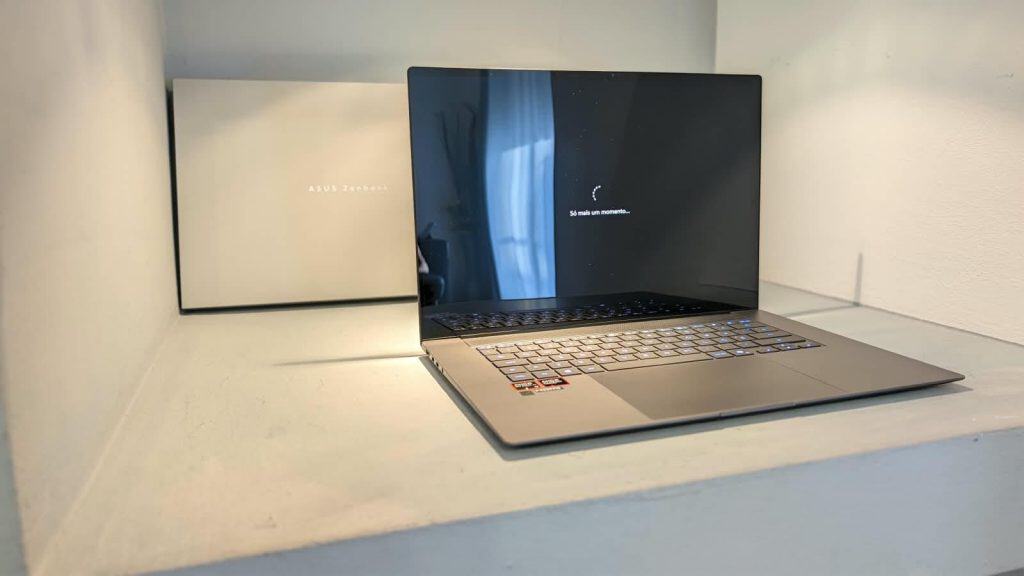
The material is still the story. ASUS calls it Ceraluminum, a ceramic-aluminum composite that covers the lid and the deck, and it feels unlike any other laptop finish on the market: matte, dry, faintly mineral, closer to a good stone countertop than to the anodized metal that every premium machine has worn for a decade. It does not feel delicate, and it does not feel cold the way bare aluminum does on a winter morning.
The proportions are what make it remarkable. At 1.5kg, the Zenbook S16 weighs the same as Apple’s 15-inch MacBook Air while carrying a larger screen and a wider set of ports, and at its thinnest point it is slimmer than plenty of 14-inch machines. Pick it up by one corner and the chassis does not flex. Press hard in the middle of the lid and the panel stays put.
ASUS used the refresh to tidy the look. The diagonal lines that cut across the old lid are gone, replaced by a centered Zenbook logo that reads as more restrained, if less distinctive. The small ProArt mark that sat above the keyboard has moved to the top-right corner of the touchpad. More importantly, the faint creak the 2024 lid made under pressure has been engineered out. It was a minor fault, but on a machine that sells itself on feel, it was the wrong kind of minor.
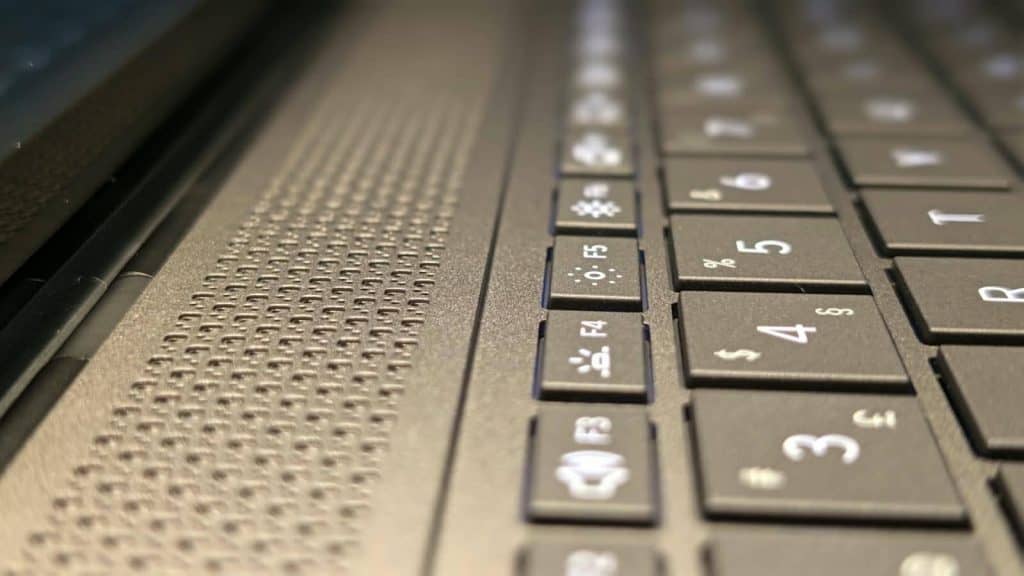
The hinge is firm enough that the screen does not bounce when you type on a train table, yet it still opens with one hand. Antrim Gray, the darker of the two finishes, suits the material best. The perforated vent strip above the keyboard is cut in a pattern of small holes inside larger circular recesses, a detail that tells you someone at ASUS spent a long time on a part most manufacturers treat as plumbing.

Setup and the first hour
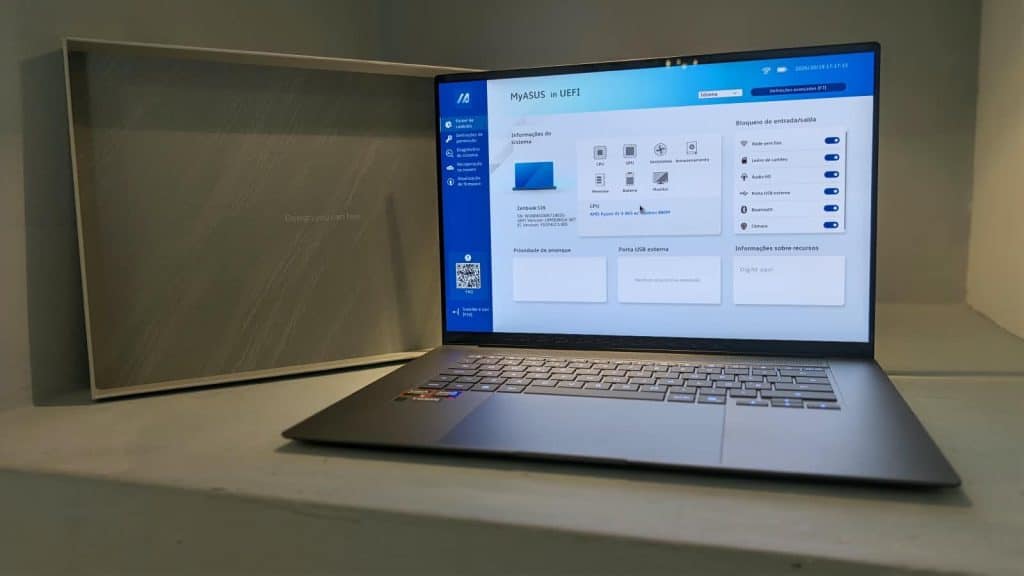
What comes out of the box is the laptop and a compact USB-C charger, and the first hour is mostly Windows 11 asking its usual questions. Windows Hello face sign-in, through the IR camera above the display, is worth enrolling immediately; it is fast, works in a dim room, and removes the password from daily life.
The three decisions that shape everything afterwards live in MyASUS. The first is the fan profile, which I will come back to, and the answer is Standard. The second is the battery charging limit: MyASUS can cap the charge below full to slow battery wear, and on a machine that spends most of its life on a desk, that cap should be on. The third is the display’s color mode. ASUS ships accurate sRGB and Display P3 profiles, and choosing the one that matches your work at the start saves you the strange experience of web pages looking oversaturated on a panel this wide in gamut.
The Copilot key sits where a right Control key used to be, and that is the only part of the layout that takes adjusting to. Everything else, from the function row to the full-size arrow cluster, is where your hands expect it.

The OLED, now bright enough to matter
The 2024 Zenbook S16 had a beautiful screen with one real limitation: it topped out at roughly 525 nits even in HDR, which turned it into a dim mirror next to a sunny window. The new Samsung panel fixes that decisively. It sits just under 470 nits in standard SDR use, peaks at around 1,094 nits on HDR highlights, and holds about 700 nits across the full screen in HDR. That is more than double what the old model could manage on the HDR side, and it changes how the laptop behaves in real rooms.
Everything else about the panel remains excellent. Blacks are absolute, because OLED pixels simply switch off. Coverage of Display P3 is effectively complete at 99.8 percent, and the factory profiles are so accurate (an average Delta E of around 1 against the color checker) that a hardware calibration has nothing to add. At 120Hz with pixel response well under a millisecond, scrolling through long documents feels liquid in a way no LCD at this size quite matches.
I will be honest about where it slips. The touch layer that arrives with this panel adds a slight grain to bright white surfaces when you look closely, a texture that was not there on the non-touch 2024 screen. At a normal viewing distance it disappears, and in a word processor you stop noticing it within a day, but anyone who sits close to edit fine detail should know it exists. The panel also dims with PWM, now at 960Hz, double the frequency of the previous model. Most people sensitive to flicker will not notice it at that rate, though the most sensitive readers should still try one in person.
The finish is glossy. With 1,000 nits of HDR headroom it fights reflections far better than before, yet it is still a glossy screen, and an overhead office light will still find it.

Performance: what the Ryzen AI 9 465 actually changes
The Ryzen AI 400 series, codenamed Gorgon Point, is a light refresh of last year’s Zen 5 chips rather than a new architecture, and the Ryzen AI 9 465 in this unit behaves accordingly. It pairs four full Zen 5 cores with six compact Zen 5c cores, boosts to 5.0GHz, and talks to 32GB of LPDDR5X running at 8,533MT/s, which is faster memory than the 2024 model shipped with.
The real gains come from ASUS’s own decision to raise the power limits. The old Zenbook S16 capped the processor at 33W. In the new Performance profile, it can burst to 45W and sustain 35W. The result is that a nominally mid-tier 2026 chip overtakes last year’s flagship: the Ryzen AI 9 465 posts 17,580 points in Cinebench R23’s multi-core test, against 16,522 for the 2024 model with the 12-core Ryzen AI 9 HX 370, and against 11,462 for the 2024 model with the Ryzen AI 9 365. Single-core sits at 1,997 points, level with anything else in this class. Blender’s BMW scene renders in 184 seconds. Crucially, the performance holds steady under sustained load and on battery, so there is no cliff waiting at the 10-minute mark.
In daily use, all of this translates into a machine that never makes you wait for ordinary work. A browser with dozens of tabs, a Lightroom catalog of raw files, a long Word manuscript with tracked changes, Teams with background blur: none of it registers as effort. Thirty-two gigabytes of memory is the right amount for that kind of desk, and since it is soldered, it is the right amount to choose on day one.
The Radeon 880M handles photo editing, timeline scrubbing in video editors and hardware-accelerated encoding comfortably. It is also a respectable casual gaming GPU: older titles and indie games run happily at 1080p, while recent blockbusters ask for low settings and upscaling before they become pleasant. This is not a gaming laptop, and it does not pretend otherwise.
The 50-TOPS NPU qualifies the Zenbook for Microsoft’s Copilot+ features, including Windows Studio Effects on the camera, live captions with translation, and Recall if you choose to switch it on. They work as advertised. None of them is a reason to buy this laptop over another Copilot+ machine, which is exactly what you would expect two years into the category.

Thermals, noise and the case for Standard mode
Here is the heart of the review. MyASUS offers three profiles: Whisper, Standard and Performance. Performance opens up those new 45W and 35W limits, and with them, the benchmark numbers above. It also makes the Zenbook S16 loud, noticeably louder than the 2024 model, with a fan note that is hard to ignore in a quiet room. In a chassis this thin, there is nowhere else for that extra power to go.
Standard and Whisper are a different machine. The fans stay low or silent through ordinary work, the deck stays comfortable under your palms, and the processor still has more than enough headroom for everything described in the previous section. The performance you give up only shows in a long render or a sustained export, which is precisely the work this laptop was never optimized for.
That is why I say the Zenbook S16 is built for its quietest setting. The higher power ceiling is genuinely useful as a reserve for the occasional heavy job, and it is good that ASUS added it. Leave it as a reserve. A computer whose whole design is about calm, from the matte ceramic to the black levels of the OLED, makes no sense with its fans at full tilt beside your coffee.
Heat leaves through the vent strip above the keyboard and the underside, which means the area just below the screen gets warm under load while the palm rest stays cool. On a lap in Performance mode, the underside is the part you notice. In Standard mode, it rarely becomes an issue.
Keyboard, touchpad, speakers and camera
The keyboard has only 1.1mm of travel, which sounds like a recipe for a shallow, tapping feel. It is not. The keys have a crisp, well-damped bottom, consistent weight across the board, and a quiet sound that suits the machine. After a long writing day, it is the kind of keyboard you forget about, which is the highest compliment a laptop keyboard can earn. The backlight is even and has sensible levels.
The touchpad is enormous, among the largest on any Windows laptop, with a deep, satisfying click and tracking that matches the best in the class. Its sheer size is the only argument against it: on a desk it is a pleasure, while on a lap its edge sits close to the heels of your hands, and you have to trust palm rejection more than usual. Palm rejection mostly earns that trust.
The speakers are very good for a chassis this thin, with clear voices and more body than you would expect, enough for a film on the sofa without reaching for headphones. The 1080p webcam is sharp and well exposed for video calls, and the IR sensor beside it makes Windows Hello the fastest way into the machine.
Connectivity
The port selection is generous for a laptop this slim. On the left: two USB4 ports at 40Gbps, both with DisplayPort output and Power Delivery charging, an HDMI 2.1 port and a 3.5mm combo jack. On the right: a full-size SD card reader and a USB-A 3.2 Gen 2 port at 10Gbps. In use, I had a monitor on USB4, a dock on the other USB-C, an SD card full of raw files and a USB-A receiver plugged in at once, and the Zenbook took all of it without complaint.
Two caveats. Both USB-C ports sit on the left, so the machine can only be charged from that side, which matters more than it sounds on a sofa or at a conference table with one awkwardly placed socket. And the HDMI port uses TMDS signaling, so it offers HDMI 2.0-class bandwidth rather than the full HDMI 2.1 feature set; for a high-refresh external display, use USB4 instead.
The SD reader is fine rather than fast, averaging around 150MB/s when copying photos. Photographers working with very large burst files would have welcomed an SD Express reader. Wi-Fi 7 through the MediaTek MT7925 module is excellent, sustaining around 1.7 to 1.8Gbps in both directions against a fast router, and the connection is stable throughout.
Battery life
ASUS grew the battery from 78Wh to 83Wh without adding thickness, and the gain is real. In a standardized Wi-Fi browsing test at moderate brightness, the Zenbook S16 runs for around 13 hours, and in office-style workloads it passes 15. Treat that as a full working day with headroom for the evening, provided you stay in Standard or Whisper mode. The Ryzen AI 400 platform is efficient at idle and in light loads, and the OLED rewards dark themes by drawing less power on black pixels.
Its rivals built on Intel’s Lunar Lake still last longer, and the fact that the refresh did not close that gap is a fair criticism. Still, a 16-inch laptop with a 1,000-nit HDR panel that comfortably covers a full day is a strong place to be.
Charging is over USB-C with the bundled adapter, and most good Power Delivery chargers will also work. The battery charging limit in MyASUS is the setting that matters most for how this battery holds up over the long term.
Repairs and the long view
The Zenbook S16 is honest about its limits. The memory is soldered, so 32GB is what it will have for its whole life. The SSD sits in a single M.2 2280 slot and is the only component you are likely to upgrade. That is what 1.1cm demands, and it is a trade most buyers in this category already accept.
What makes it a machine for the long term is everything else: a chassis that shrugs off wear, a keyboard that will still feel right in three years, an OLED that ASUS protects with pixel-shift and screen-saver routines through its OLED Care software, and a processor with enough headroom that ordinary Windows bloat will take a long time to catch up. Warranty cover varies by region, so check the terms where you buy.
Configurations and value
The 2026 Zenbook S16 is sold in three processor tiers, and choosing among them is the real buying decision.
The Ryzen AI 7 445 is a six-core, 12-thread chip that still meets the Copilot+ bar. It is the right choice for writers, students and anyone whose day lives in a browser and an office suite, and it should be the quietest and longest-lasting of the three.
The Ryzen AI 9 465 in this unit is the sweet spot. Its 10 cores beat last year’s flagship in multi-threaded work, it handles photo editing and light video work comfortably, and it does so in Standard mode without asking the fans to work hard.
The Ryzen AI 9 HX 470 adds two more cores, 24 threads and a 55-TOPS NPU. It makes sense if you compile code or export video for a living, but remember what this review keeps returning to: in a chassis this thin, extra performance means extra noise, and the HX 470’s advantage only appears when you let the fans spin up.
Whatever the processor, choose 32GB of memory, because it cannot be changed later, and take the larger SSD if you shoot raw or keep video projects locally. The 2024 Zenbook S16 with the Ryzen AI 9 HX 370 is also still widely available and remains an excellent laptop; it is the one to consider only if you never use touch and never work near a window, because the new panel’s brightness is the single biggest reason to choose the 2026 model.
Verdict
The Zenbook S16 is one of the most refined 16-inch laptops you can buy, and its best qualities are the ones that do not appear on a benchmark chart: the ceramic shell, the precision of the keyboard, the depth of the OLED, the calm of a machine that rarely needs to raise its voice. The 2026 refresh fixes the old screen’s weakness, adds a meaningful amount of battery and quietly removes the creaks.
It has flaws. The fans are loud in Performance mode, the touch layer adds a faint grain, the memory can never be upgraded, both USB-C ports are on one side, and the fastest Intel rivals last longer on a charge. None of these is a deal-breaker, but each is a reason to know exactly what you are buying.
Buy it if you want a big, beautiful screen in a body that travels like a 14-inch laptop, and you are happy to leave it in Standard mode most of the time. Skip it if your work genuinely needs a dedicated GPU, or if sustained full-power performance in silence matters more to you than thinness.